Testing Samsung Wallet Money — said to work worldwide
Pay with your Galaxy phone, no currency exchange or local app needed
Scan a QR code at street stalls, show yours at stores — that's all it takes
Link a Woori Bank account by year-end and earn up to 5.3% in rewards
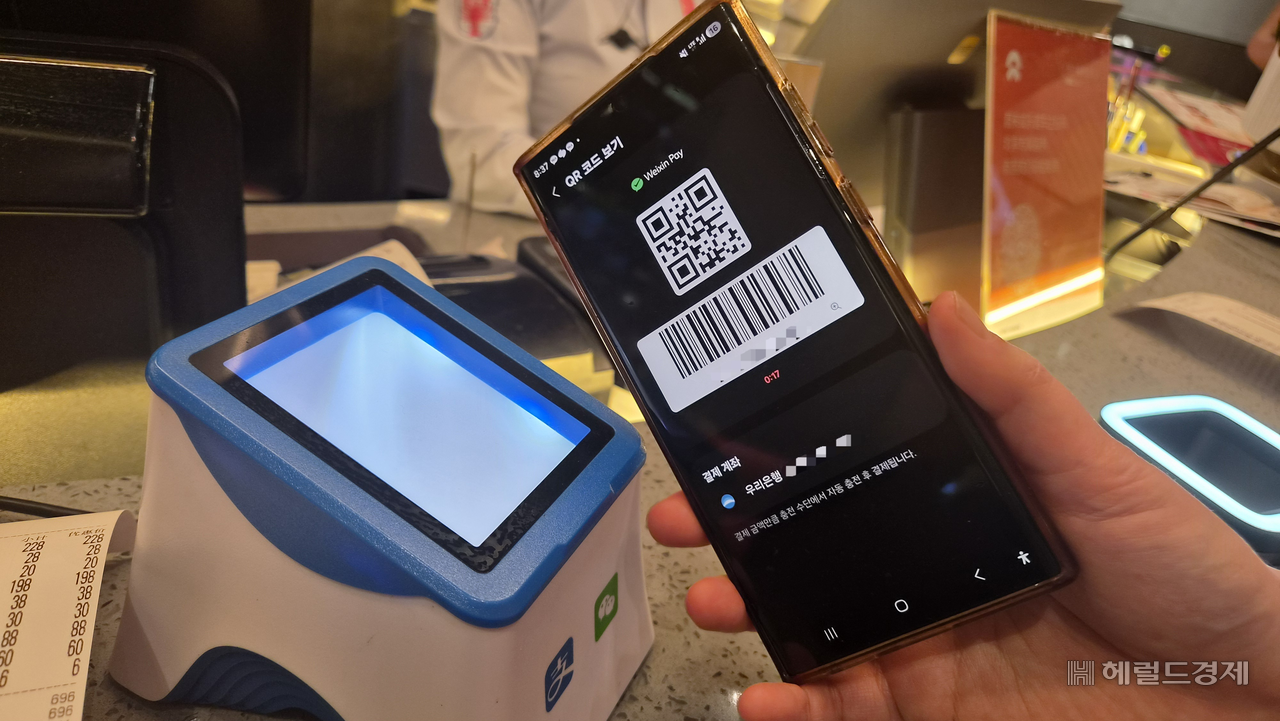
SHANGHAI — Around 2 p.m. Sunday, near the former foreign concession district of Shanghai.
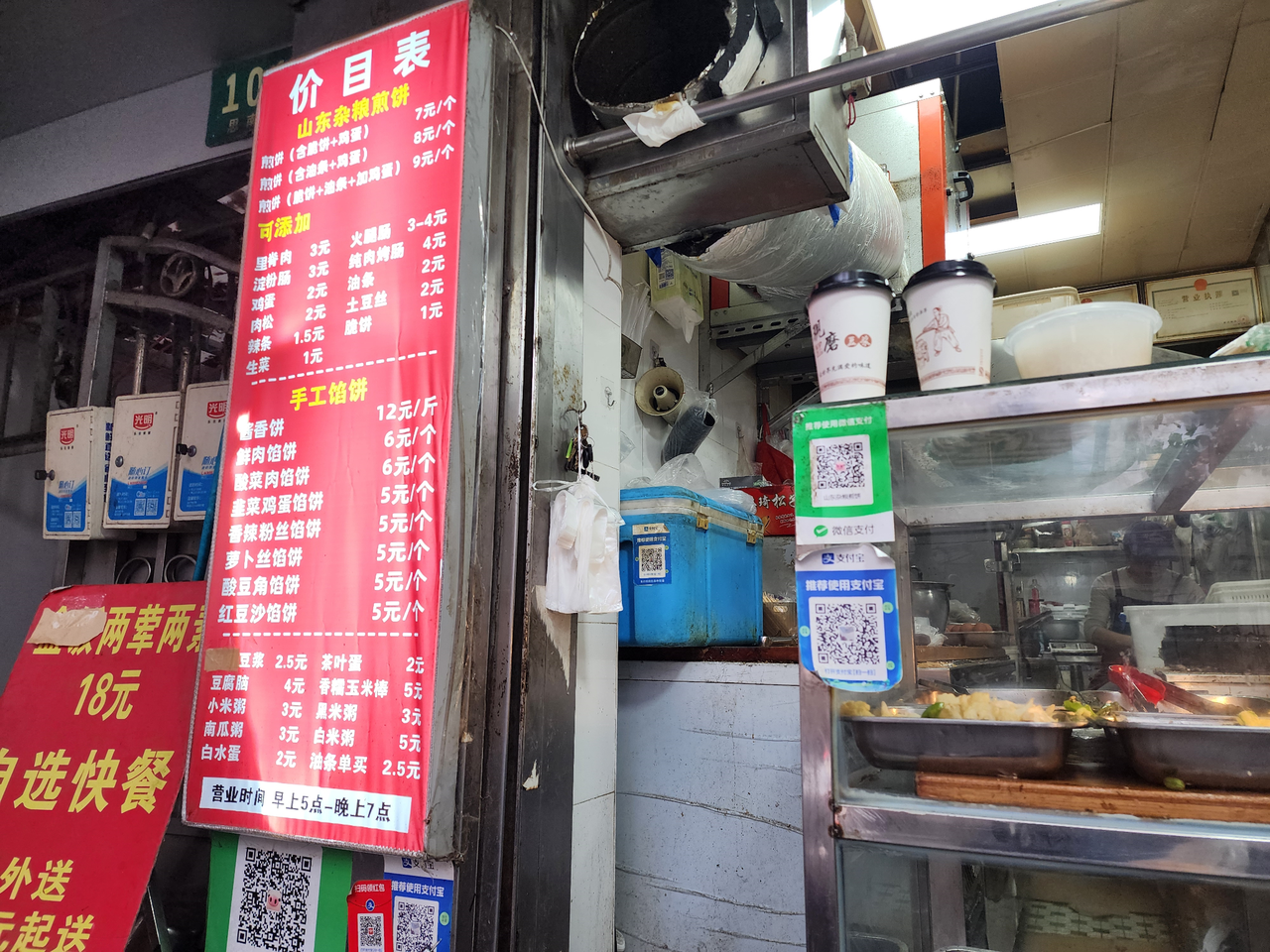
Anyone visiting Shanghai is told they must try jianbing. At a street stall, after ordering one of the Chinese-style crepes, it was time to pay — but there was no scanner, no card terminal. In front of the vendor, who had been arranging shredded potatoes, sat a single sheet of paper printed with a QR code. Opening Samsung Wallet on a Galaxy phone, the code was scanned. The price: 7 yuan (about $1). Entering the number "7" brought up the dollar equivalent and the applicable exchange rate. A fingerprint confirmed the payment. The vendor glanced at the deposit notification, nodded and smiled. In China, a single sheet of paper bearing a QR code routinely serves as a cash register.
Preparing for an overseas trip usually means sorting out money — calculating how much to load onto a travel card, registering card and passport details with a local payment app such as Alipay, then double-checking that everything went through. For this trip to Shanghai, that entire process was skipped. The goal was to test Samsung Wallet Money, a prepaid mobile payment service offered by Woori Bank and Samsung Electronics. The only equipment needed: a Galaxy phone already in daily use. The question was whether that would be enough to cover everything from street snacks to a sit-down dinner.
Setup can wait until you land — The initial setup was done after arriving at Shanghai's airport. Opening the existing Samsung Wallet Money app, a prompt appeared: "This card can be used for payments abroad." A welcome sight. Tapping "Register for overseas payments" was the next step — though that tap alone did not complete the process. It was necessary to review and agree to mandatory items including the overseas QR payment terms of service and the transfer of personal information abroad.
After agreeing and authenticating with a fingerprint, the card screen changed. A Mastercard logo appeared in the upper right. Below it, the WeChat Pay logo from China's Tencent and two new buttons — "Scan QR code" and "Show QR code" — had appeared. The domestic card was now ready for overseas payments as well. At no point during registration was it necessary to enter passport information or download a separate local app.
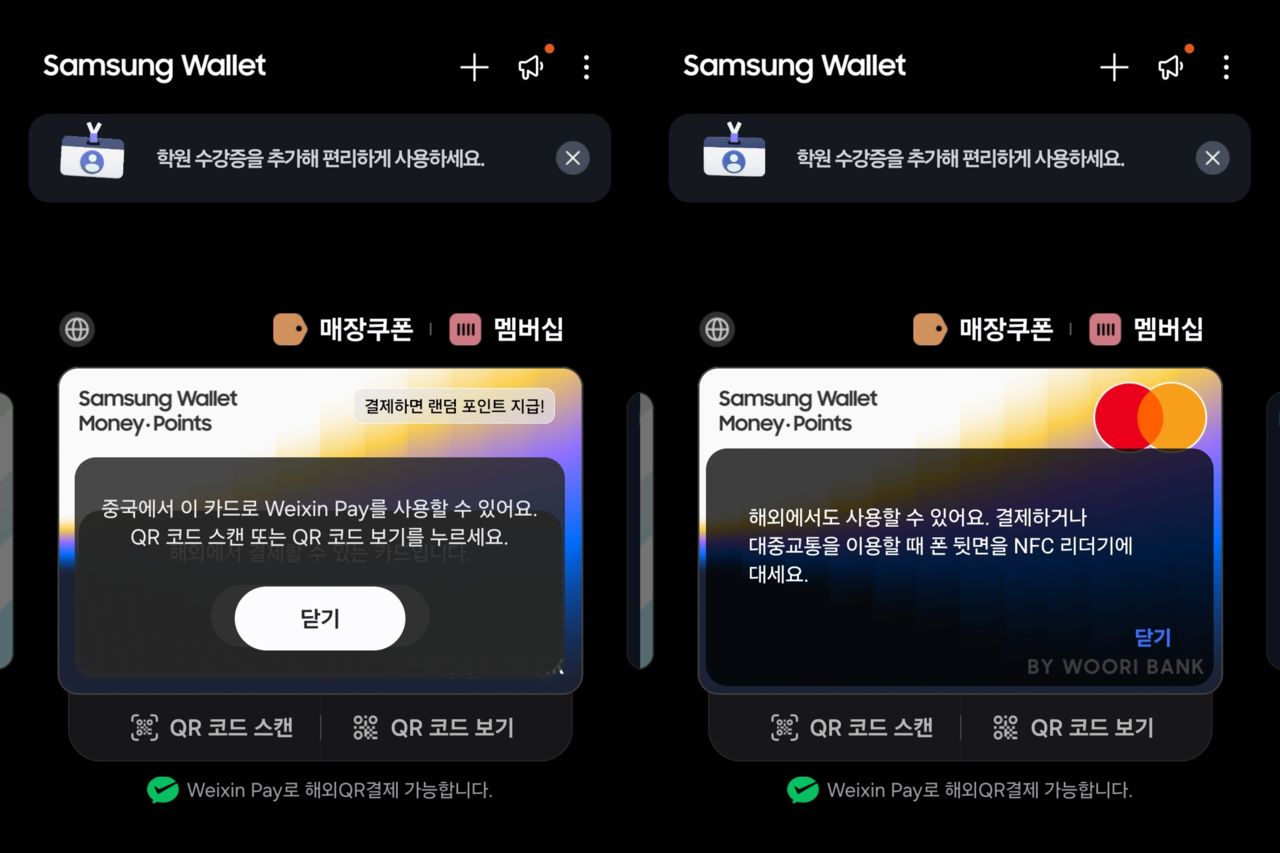
According to Woori Bank, Samsung Wallet Money has supported QR payments at WeChat Pay merchants in China since Oct. 26. Table-order payments — scanning a code at a restaurant table to place an order — are also supported. Outside China, the service works via NFC at more than 150 million merchants across 210 countries connected to the Mastercard payment network.
A funding account was also linked. As many as 20 domestic banks, including major commercial banks, can be connected. The auto top-up was set to add 50,000 won ($37) from the account whenever the balance ran low — rather than estimating spending in advance and exchanging a fixed amount. At the very least, it would reduce the chance of staring down an insufficient-balance screen at the checkout.
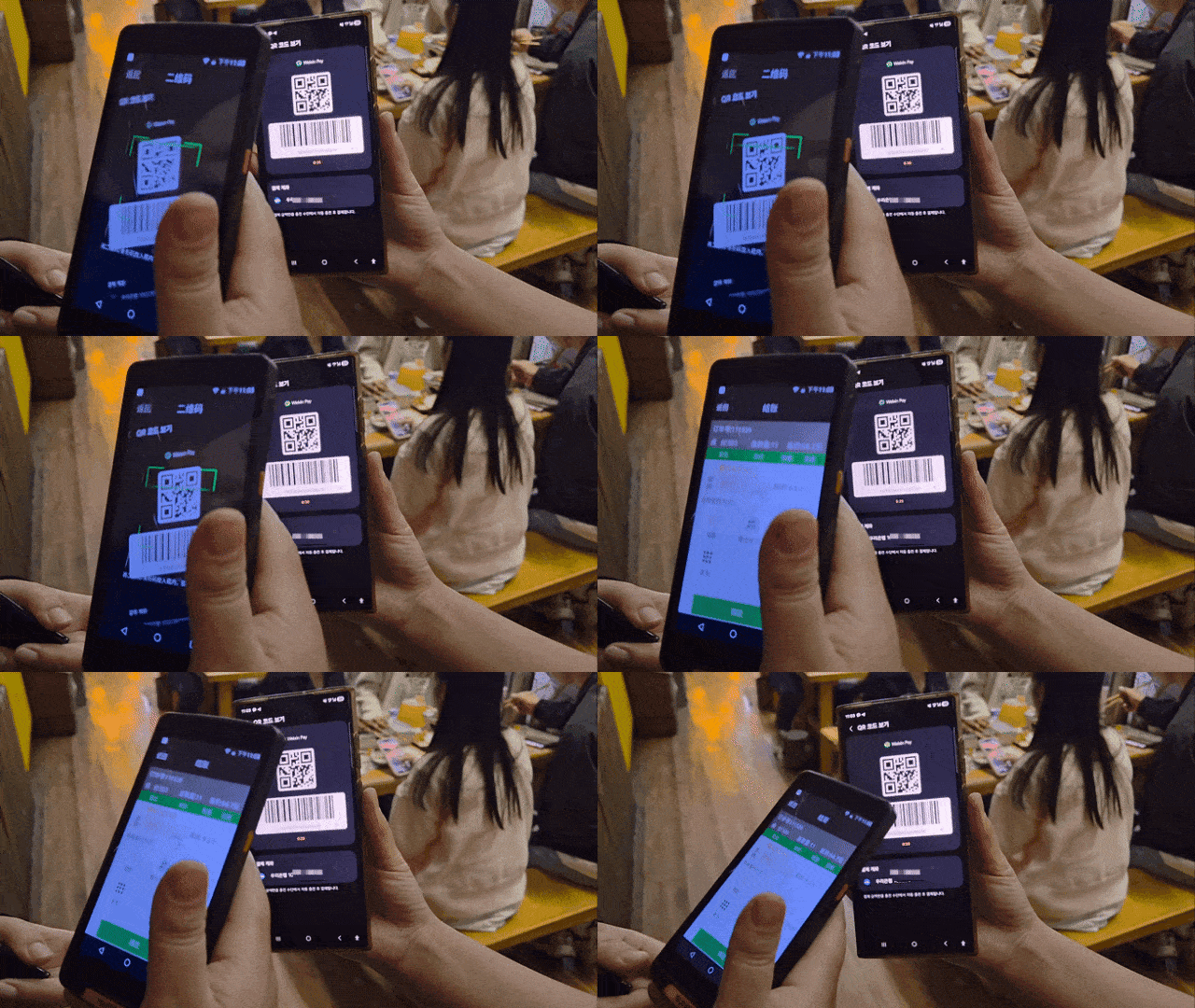
Scan a QR code, press a fingerprint, payment done — QR codes are hard at work on the streets of Shanghai. Street photographers at tourist spots and shoulder-massage vendors on the sidewalk alike display their WeChat Pay codes. There are essentially two ways to pay: scan the merchant's code, or let the merchant scan yours. At street stalls, the former was more common — tapping "Scan QR code" in Samsung Wallet, pointing the camera at the stall's code, entering the amount and authenticating.
At stores with scanners, "Show QR code" was the button to tap. The code that appeared, however, was blurred. A message at the bottom of the screen read: "Authenticate to display QR code." Since this is the code that triggers an immediate payment when scanned, identity verification came first. Once authenticated, both the QR code and the wide barcode beneath it sharpened into focus. Holding the phone up to the store scanner, a blue checkmark appeared in under a second.
Showing the won equivalent alongside the local currency amount also proved useful. Spending only in local currency can easily dull one's sense of how much is going out. Paying 38 yuan for a coffee, the screen showed 7,712 won below — an instant reality check. The transaction details listed the amount deducted from the wallet, any auto top-up, the dollar equivalent and the exchange rate applied. One caveat: the won amount displayed before payment is based on the bank's posted rate, and the final charge may differ depending on the rate at the time of approval.
Up to 5.3% in special rewards — a bonus on top — At first, the main concern was simply whether payments would go through. Before long, the first thing to check after each transaction was how much had come back. The base rewards rate for overseas payments is 0.3%. Through the end of this year, a promotional bonus of 2.5% is added, and linking a Woori Bank account stacks on another 2.5%. At the maximum rate of 5.3%, spending 100,000 won ($75) abroad returns 5,300 won. There are no overseas transaction fees or annual fees.
Switching the linked account made the difference immediately visible. The 2.5% promotional bonus that had appeared once when paying with another bank's account showed up twice after switching to a Woori Bank account. The same amount spent, but more coming back. From that point on, checking which account was linked became the first step before any payment.
After dinner at a lamb skewer restaurant, Samsung Wallet was opened, authentication completed and a QR code displayed for the bill. The meal came to 332 yuan ($50). The rewards summary that appeared afterward showed 1,695 won credited twice, plus a base reward of 203 won — a total of 3,593 won.
It is not a large sum. But there happened to be a convenient comparison. Taking a ride-hailing taxi via Didi from the restaurant to the accommodation about 6 kilometers away cost roughly 3,500 won. The rewards earned from the lamb skewer dinner were almost exactly enough to cover the fare home. A fellow diner said it felt like getting a free taxi ride. A full meal, and the ride home came along with it.
forest@heraldcorp.com